

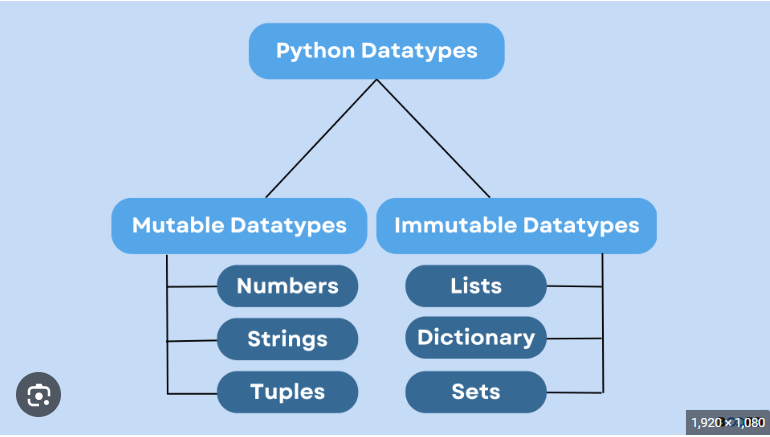
Understanding mutable and immutable data types is crucial for writing efficient and bug-free Python code. This guide explores the key differences between mutable and immutable objects and their practical implications in Python programming.
Understanding Mutability in Python
Mutable Data Types
Mutable objects can be modified after creation. Their content can be changed without changing their identity (memory address).
Common mutable data types in Python:
- Lists
- Dictionaries
- Sets
- Bytearray
- User-defined classes (by default)
Immutable Data Types
Immutable objects cannot be modified after creation. Any operation that appears to modify them actually creates a new object.
Common immutable data types in Python:
- Numbers (int, float, complex)
- Strings
- Tuples
- Frozenset
- Bytes
Detailed Analysis of Mutable Data Types
1. Lists
# Lists are mutable

numbers = [1, 2, 3]
print(id(numbers)) # Original memory address
numbers.append(4)
print(id(numbers)) # Same memory address
# Modifying elements
numbers[0] = 10 # Direct modification possible2. Dictionaries
# Dictionaries are mutable
person = {'name': 'John', 'age': 30}
person['city'] = 'New York' # Adding new key-value pair
del person['age'] # Removing a key-value pair
person['name'] = 'Jane' # Modifying existing value3. Sets
# Sets are mutable
colors = {'red', 'blue'}
colors.add('green') # Adding element
colors.remove('red') # Removing elementDetailed Analysis of Immutable Data Types
1. Strings
# Strings are immutable
text = "Hello"
print(id(text))
text = text + " World"    # Creates new string object

print(id(text))          # Different memory address
# String methods create new objects
upper_text = text.upper() # Creates new string2. Tuples
# Tuples are immutable
coordinates = (4, 5)
# coordinates[0] = 10 # This would raise TypeError
# But mutable elements inside tuples can be modified
nested = ([1, 2], [3, 4])
nested[0][0] = 10 # Valid operation3. Numbers
# Numbers are immutable
x = 5
print(id(x))
x += 1 # Creates new integer object
print(id(x)) # Different memory addressPractical Implications
1. Function Arguments
def modify_list(lst):
lst.append(4) # Modifies original list
def modify_string(s):
s += " World" # Creates new string, doesn't affect original
# Example usage
my_list = [1, 2, 3]
my_string = "Hello"
modify_list(my_list)
print(my_list) # [1, 2, 3, 4]
modify_string(my_string)
print(my_string) # "Hello"2. Performance Considerations
# String concatenation (inefficient)
result = ""
for i in range(1000):
result += str(i) # Creates new string each time
# List concatenation (efficient)
parts = []
for i in range(1000):
parts.append(str(i))
result = "".join(parts)Common Uses and Best Practices
1. Copy vs Reference
# Shallow copy of mutable objects
original_list = [1, [2, 3], 4]
shallow_copy = original_list.copy()
shallow_copy[1][0] = 5 # Affects both lists
# Deep copy for nested structures
from copy import deepcopy
deep_copy = deepcopy(original_list)
deep_copy[1][0] = 6 # Only affects deep_copy2. Default Arguments
# Dangerous - mutable default argument
def add_item(item, lst=[]): # Don't do this
    lst.append(item)

return lst
# Safe - using None as default
def add_item_safe(item, lst=None):
if lst is None:
lst = []
lst.append(item)
return lst3. Dictionary Keys
# Only immutable objects can be dictionary keys
valid_dict = {
    'string_key': 1,

(1, 2): 2,      # Tuple is valid
    42: 3           # Number is valid

}
# This would raise TypeError
# invalid_dict = {[1, 2]: 'value'} # List can't be a keyMemory Management and Optimization
1. Object Interning
# Small integers and strings are interned
a = 'hello'
b = 'hello'
print(a is b) # True
x = 256
y = 256
print(x is y) # True2. Memory Efficiency
# Using tuples instead of lists for immutable sequences

coordinates = (x, y, z)  # More memory efficient than list
# Using frozenset for immutable sets
constant_set = frozenset(['a', 'b', 'c'])Testing for Mutability
def is_mutable(obj):
try:
hash(obj)
return False # Object is immutable
except TypeError:
return True # Object is mutable
# Example usage
print(is_mutable([1, 2, 3])) # True
print(is_mutable((1, 2, 3)))      # False

print(is_mutable("string"))       # False
print(is_mutable({'a': 1})) # TrueBest Practices for Working with Mutable and Immutable Types
- Use immutable types for:
- Dictionary keys
- Data that shouldn't change
- Thread-safe operations
- Use mutable types for:
- Collections that need to be modified
- Accumulating results
- Caching and memorization
- Consider using:
namedtuplefor immutable recordsfrozensetfor immutable sets@propertyfor controlled attribute access
More Articles from Unixmen